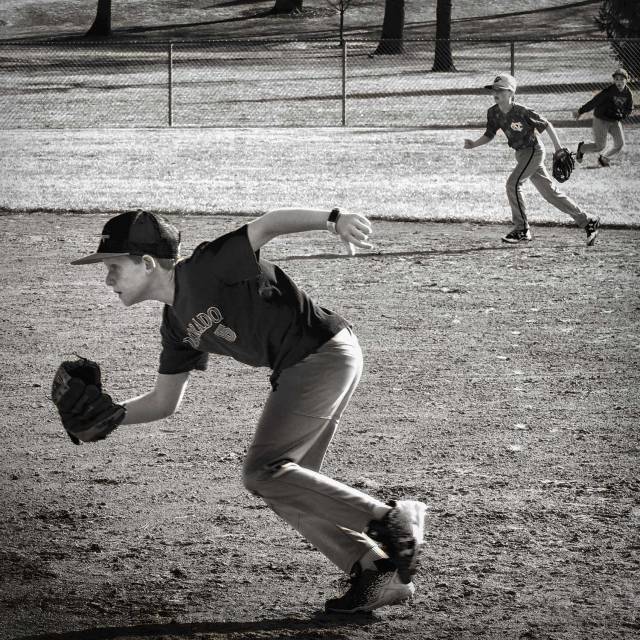
a photo study: rule of space

ruleofspaceweb copy 2

Nikon D750   f/4   1/160    190 mm   I00 ISO

Ted Forbes notes that the rule of space offers the photographer a way to create a sense of motion, activity or conclusion within one’s composition and that it simply involves creating negative space that relates to the subject within the image.

For example, if you place negative space outside your subjects head in a portrait, you imply maybe there is thought going on – particularly if you direct your subject’s eyes toward the negative space.

Or if you have a picture of a motorcycle zooming across the desert. Placing the negative space in front of the motorcycle creates a sense of direction or implication of eventual destination

ruleofspace2web

Nikon D750  f/4.2   1/400   45mm  100 ISO

It is my thinking that Ted Forbes’ discussion dovetails nicely with Raj’s Xdrive photography lesson about a photograph speaking.

a “good picture always speaks out its story…The story the picture is trying to broadcast is nothing but your vision or an intent or a message you are trying to convey to the viewers.

ruleofspace3web

Nikon D750   f/14   1/80   32mm   100 ISO

Thank you for taking the time to visit; and as always, I would love to read your thoughts about the interconnection between story and space as photography composition tools and any images you would like to share.

Hope you enjoy Ted Forbes’ Rule of Space video.

xdrive photography learning – 20 – bokeh

Within xdrive photography’s bokeh lesson, Raj notes that the unique blur within photographs known as bokeh is a composition tool that allows a photographer to guide a viewer’s eye as well as to keep distracting elements hidden.

cropped-dandelionproject13118web.jpg

Nikon D750    f/3.2    1/320s   40mm   ISO100

exdrive-1web

Nikon D750     f/5.6   1/320s   230mm   ISO 100

xdrivewebfloral

Nikon D750     f/5.6   1/200   210mm   ISO 100

Over to you Raj.  Thank you for this informative lesson and your amazing images.

xdrive photography – 19 – high speed photography revisited

After my initial posting, I found myself motivated to revisit Spring Creek trail with more intention to pay attention to Raj’s (XDrive ) high speed lesson.  He noted that this high speeds allows the photographer to freeze motion as it permits “only a fraction of a second for the sensor to ‘see’ the scene” and the sensor “is going to record things at standstill even though they are moving.”

impliedlines-3

Nikon D750  f/5.6  1/2,000   300mm   ISO 800

impliedlines-7

Nikon D750  f/5.6  1/3,200  300mm  ISO 800

impliedlines-8

Nikon D750  f/5.6  1/3,200  300mm  ISO 800

impliedlines-9

Nikon D750  f/5.6  1/3,200  300mm  ISO 800

Thank you Raj…this lesson plan opened up a whole new visual world as well as shed some light into the importance of intention and attitude within the creative process of photography.

Variations on a Theme

xdrive photography learning – 19 – high speed photography

Raj (XDrive ) writes that high speed photography allows the photographer to freeze motion as it permits “only a fraction of a second for the sensor to ‘see’ the scene” and the sensor “is going to record things at standstill even though they are moving.”

I set out yesterday with my camera set on autofocus with continuous focusing and the ISO at 800.  After coming home and doing a bit of deleting, I still have heaps of images…412.   Regrettably, most of them will be tossed into the trash because I assumed that setting my camera on manual and using the highest f-stop that the shutter speed would automatically record at 1/4000 to 1/8000 seconds.

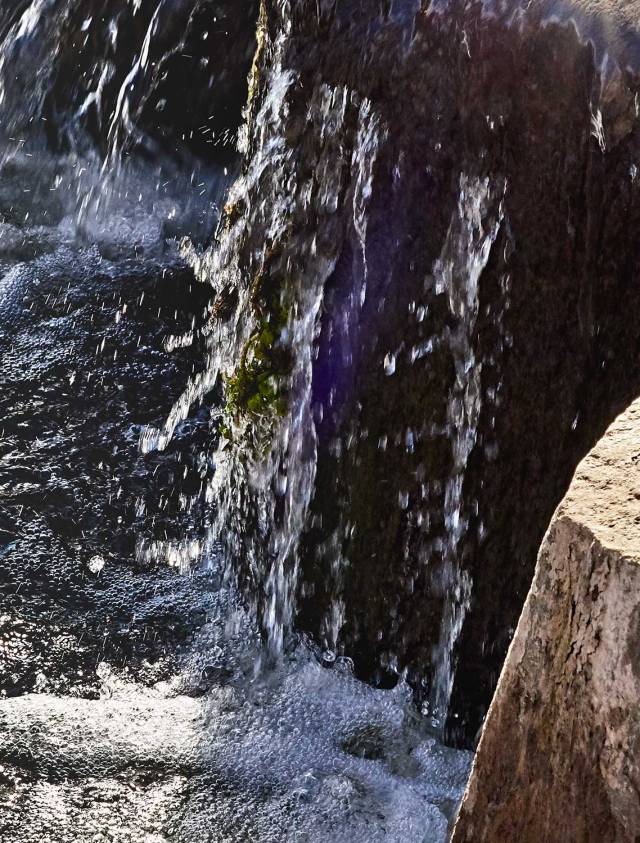
Why did I chose manual…well, before leaving home I initally set my camera on shutter speed priory mode and saw that the camera seemed to prefer lower f-stops.  So, my first  mistake came with the assumption that there is a correlation between high f-stops and shutter speeds.  I also failed to set the camera on center focus and was not able to correct this decision as I left my glasses at home…sigh. Also, I did not pay attention to the shutter speed throughout the walk…and as you can see in the image below there are no frozen water drops…just a bit of blur, bubbles, and tiny pellets as well as a rock (lower right) in focus.

xdriveshutterspeed-9web

Nikon D750   f/22   1/250s   85mm  ISO 800

The rain and snow last night left a bit of ice under a layer of snow…so will have to delay my return to the creek, when it is a bit warmer, to create motion frozen water drops with more attentive intention.

Yet, not all was lost…

xdriveshutterspeed-4web

Nikon D750   f/22   1/640s   85mm   ISO 800

xdriveshutterspeed-8web

Nikon D750   f/16   1/1000s  85mm   ISO 800

xdriveshutterspeed-3web

Nikon D750   f/16   1/500s   85mm   ISO 800

xdriveshutterspeed-2web

Nikon D750   f/22   1/500s   80mm   ISO 800

Thank you Raj…I appreciate these lessons and your feedback.

xdrive photo lesson – golden hour, revisited

Raj’s  (xdrive photography lesson) valuable feedback to the use of a neutral density filter and monochrome in the initial submission of the golden hour lesson awakened me to how I was limiting my exploration of the soft light and golden shades found within the golden hour.

With the awareness that I have learned a great deal through Raj’s photo lessons, I set up a still life of the oranges below on my veranda during the golden hour…absent a neutral density filter.

goldenhr4

Nikon D750    f/5.6   1/40s   35mm   ISO 100

It has been my experience that the golden hour in Northeastern Colorado is impacted by the Rocky Mountain foothills as the light remains harsh for an extended period of time and disappears quickly as the sun moves behind the foothills.  Also, a soft quality of light seems to require a cloud bank to serve as a reflector to the hidden sun’s rays.  Otherwise, the available light often is more of a glaring quality than a golden soft glow.

goldenhr2

D750   f/7.1   1/250s   85mm   ISO 320

goldenhrweb

Nikon D750   f/5.6   1/500s   85mm  ISO 100

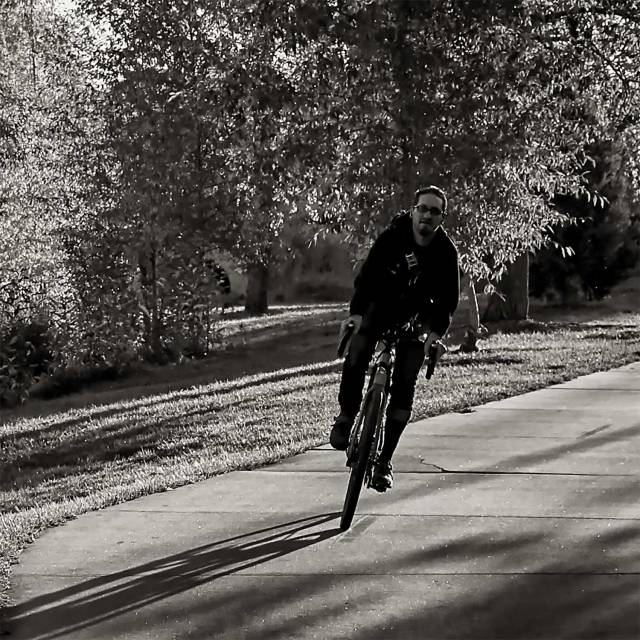
The golden hour offers great shadows and rim lighting …

goldrenhourbikewebbacklite2web

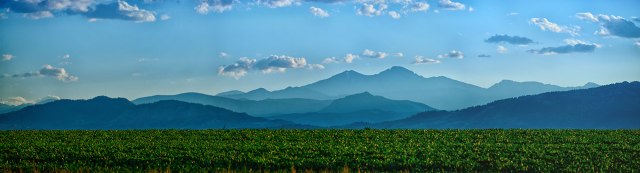
A panorama of the Rocky Mountain foothills…September 15, 2016 at 6:53 p.m.  Sunset at 7:08 pm

foothillpan

Nikon D750   f/7,1   1/250s   300mm  ISO  320

As always, Raj I thank you for your time and valuable feedback. Looking forward to your next lessons.

xdrive photography learning – 18 – golden hour

In this xdrive photography lesson, Raj  notes that for about an hour during sunrise and again at sunset, photographers are gifted with what is known as the “golden hour” or “magic light.”  Generally the sun’s light is diffused and soft during these two time periods.

In the image below, I chose to combine Raj’s golden hour lesson with a personal study of  the rule of odds.  This image was created about 40 minutes before sunset with what I identified as cirrostratus clouds to the west of my home.  In the past, I have found that the quality of light during the hour before and after sunset is often times influenced by both western clouds as well as the foothills of the Rocky Mountains.


goldenhourweb

Nikon D750   f/7.1   .5 s   35 mm (prime)   ISO 100   neutral density lens

xdrive photography learning – 16 – contrasts

Raj writes in his 16th xdrive photo lesson that contrast, a deviation from the brightest parts of the image to the darkest, is often overlooked during the digital darkroom process. As I read his explanation about low contrast images, it brought to mind those long exposure landscape images that are composed of a single tree or those low contrast images of trees within mist or fog.  Dreamy.

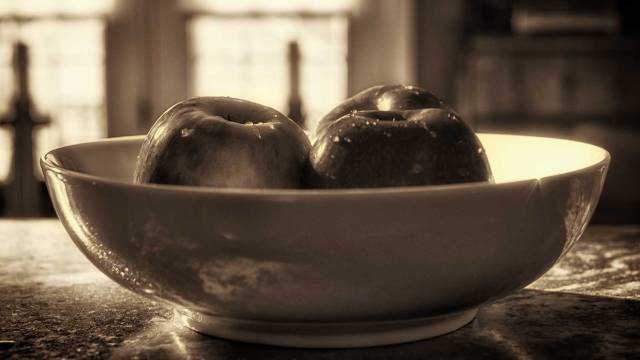
apples Nikon D750  f/4   0.1s   35mm (prime lens)  100 ISO

In the two images below, I can see in the color image how the contrast highlights the water drops…they seem to glisten within this backlit photograph. While the water drops within the monochrome image are not as noticeable, I like how the reflections of the countertop are reflected in the bowl.  The tiny sunburst along the right edge of the bowl is visually interesting.

2nd-apple3rdapple

snow     Nikon D750    f/5.6   1/125s   300 mm   100 ISO

While I like the warmth of the monochrome image of the apples, I couldn’t seem to create the same atmosphere with the snow photograph.  It just may be incongruent to create a warm image of snow?

I prefer the color image which had a bit of editing within Color Effects Pro 4’s green-yellow color contrast presets. The water drop on the tip of the leaf also seems more apparent in the color image.

snowcoloreffects2-1

The low contrast monochrome image (first monochrome image) is not as dramatic as the high contrast (last image). The water drop also seems more apparent in the last image.  I also noticed during the digital darkroom process that experimenting with contrast within Color Effects Pro 4 required awareness of how some of the presets darkened the leaves to a degree where the detail was hidden.

flatmonochromeapplecoloreffects2

Again, thank you Raj for these lessons.   I would also like to thank Helen at HHC Blog for bringing to mind the beauty of color contrast within images.

Photography Lesson 14 — Revisited

orignial raw image

Raj’s xdrive photography lesson lesson for November explored 10 edits that photographers should know about prior to publishing images.   My initial submission was of a family walking on a bike path during the golden hour.

nov-photo-lesson-1

Nikon D750   f/7.1   1/160 s   35 mm   400 ISO

Taking a few minutes to review this image in response to Raj’s feedback, I found that it is a bit of a challenge for me to notice the tilting due to 1) the curvature of the pathway as it moves my eyes to the background and 2) the presence of the trees hinders a clear view of the horizon.

In the markup below, my initial horizontal adjustment was the rooftop of the building in the background.  Raj noted in his feedback, “we can’t rely on anything man-made as it all depends on the orientation of these things.”   The areas I have circled were noted as over and underexposed by Capture One’s high exposure warning.

nov-photo-lesson-1redo2

raw image with markup

adjusted image

nov-photo-lesson-2redo

first edited image with markup

Raj noted that the image stilled seemed a bit tilted in the image above.  He also noted that the edited image is “kind of overexposed” and recommended that I “carefully check woman’s jacket, it looks kind of overexposed.”  Also my editing seemed need a bit more saturation.

The image below was cropped with Raj’s recommendation in mind and I find it to be more focused upon the family dynamics.   It also brings attention to Raj’s observation regarding the closeness of mother and daughter in comparison to the actions of the two boys.   I also did not attempt to lighten the shadow element of the boys as I wanted the image to be about the family.

While the image below seems to address the overexposure Raj noted in the above image, I’m still struggling with this as the histogram (within both Capture One and Photoshop) as well as the Capture One exposure warning does not indicate an overexposure.  So do I rely too much on technological guidelines over my vision?

It took me several tries to address the titling…sigh…

In regards to saturation, could the specifications of computer design as well as color calibration variances result in visual differences between what I see–or think I see–on my computer and what other bloggers see?  If so, is there a way to address this?   Also, I found that I needed to be very careful in regards to saturation as the image tended towards having a yellowish sheen.

All in all I the second edit does seem to be better.

nov-photo-lesson-3-5

second edit

monochrome images

nov-photo-lesson-3aredo

first monochrome image with markup

When I compare the above initial monochrome image with the one below, I’m able to more easily see areas that may be a bit overexposed.  The woman’s jacket has a burned appearance.  The detail in the woman’s jacket below offers a bit of resolution to my question above regarding overexposure…it’s about the detail in the woman’s jacket and the girl’s top.

Since the young boy looking towards the camera suggests a message of interaction, I find that I prefer the lightening in the above image when compared to the one below.

nov-photo-lesson-3-6

second edit

Again, I wish to express my gratitude to Raj and to all those wonderful bloggers who stop by and visit.

xdrive photography learning – 14 – post processing

This original raw image was created during the golden hour.  It was my intention during this photo walk to photograph with a 35 mm prime lens and practice being inconspicuous as I photograph people.

Raw image

nov-photo-lesson-1

Nikon D750   f/7.1   1/160 s   35 mm   400 ISO

The post processing of the above raw image included adjusting the white balance, contrast, sharpening, shadows, and highlights as well as tweaking the exposure warnings, saturation, clarity, and structure.  I also used Nik Effects Dfine to address noise and Vivezaz to lesson the shadow of the two young men.  The horizontal field was slightly adjusted using the building in the background before cropping.  I thought that including the path’s curve would be more likely to allow the image to breathe and to invite an imaged story about the family.

nov-photo-lesson-2
I have found that adjusting for sharpness, clarity, and structure requires a bit of attention to highlight and shadow adjustments.  When I read Raj’s explanation, “the white balance of a camera is a setting where you tell the camera what actually white color” reminded me about past tutorials that have recommended using the color picker to set the white balance from a grey color or color natural area.  Grey to create white?

The cropped monochrome image (processed within Nik’s Color Efex Pro 4) below is an example of the sharpness of the 35 mm lens.  I found that the closer cropped image invites me to image a story more about the two young boys than the family and reminded how I found myself smiling as I watched them engaging life as the sun settled in the west.

nov-photo-lesson-3a

Thank you Raj for this amazing opportunity to explore and expand my understanding of photography.

xdrive photography learning – raw vs jpg

In Raj’s latest xdrive photo lesson he continues the discussion of setting the camera to raw by comparing the differences of raw and jpg images that are produced within the camera at the exact moment with the same camera settings.

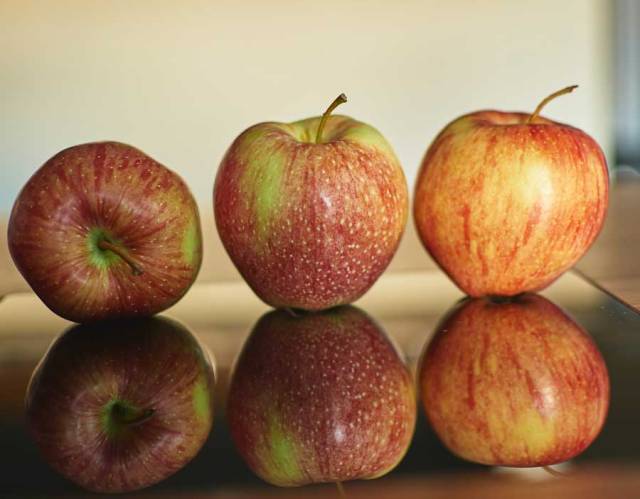
Below you will see comparison of a raw image of apples and their reflections edited in Capture One with the exact jpg images created within the Nikon D750.  I chose to have the aperture set at f/1.8 as a means to expand my understanding of the complexities of focal plane, sharpness, depth of field, and aperture settings.  There were a series of images created using manual focus that were discarded as the sharpness and detail were a bit fuzzy.

I generally photograph with the camera set to raw with a black and white setting as a means to encourage a greater awareness of the range of white to black.  When the raw images are transferred to Capture One for raw editing they are in color.

  1. Edited raw image after contrast, white balance, saturation, light and shadow, structure, clarity, sharpness, exposure, and crop adjustments.
7371f_1.81_3s35mmiso100

Nikon D750   f1.8   1.3s   35 mm   ISO 100

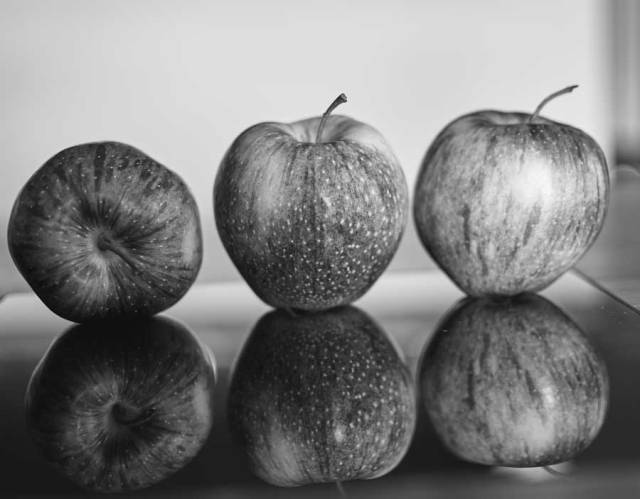
2.   When I opened up the jpg images from the Nikon, I found that they remained in black and white; therefore, I went back into Capture One and created a black and white version of the above image to use as a comparison to the Nikon’s jpg.

7371web

Nikon D750   f1.8   1.3s   35 mm   ISO 100

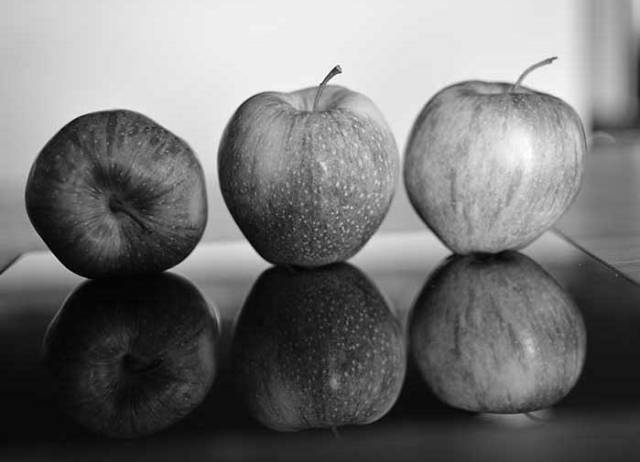
The Nikon jpg image below seems to keep the reflected apples in greater shadow.  Also the variations of the texture and appearance of the apples and their reflections are less apparent than in the image above.

DSC_7371

Nikon D750   f1.8   1.3s   35 mm   ISO 100  JPG

A cropped comparison of one apple and its shadow.

At the beginning of this project, I found myself acknowledging a need for a basic understanding of editing pros and cons; for example, it is very easy for me to over sharpen images that result in haloes.

In closing, I’m also including two additional apple images in which I moved the camera closer as part of my open aperture setting and focal plane study.

7372f_1.81_3s35mmiso100-1

Nikon D750   f/1.8   1.3s   35mm  ISO 100


7373f_1.80.435mmiso100

Nikon D750   f/1.8  0.4s  35mm   ISO 100

The right apple and it’s reflection appear to be less sharp than in the other images; whereas, the first apple’s reflection is in less shadow.  My initial understanding of focal plane tells me that the right apple must have been placed a bit further back than the  other two.

Over to you Raj.

xdrive photography lesson – 11 – lenses

Over the past couple of months I’ve found that postings of bloggers I follow are not always coming up in my WordPress Reader.  One of those missed postings is Raj’s photo lesson on lenses.   In that xdrive photo lesson Raj invited us to “really access the capabilities of your camera and find out what exactly is your stumbling block, is it a camera or a lens?”

So with this lesson in mind along with the recent discussions about photographing in  raw, I set out on three separate nature walks with a different lens on each occasion.

On the first day of this assignment I used a Nikon 28-300mm f/3.5-5.6G ED VR lens with a Tiffen 0.6 neutral density lens.

This first image is a representation of the raw image.  I see this image as a bit underexposed.
28-300mmraw

Nikon D750   f/9   1/40s   55mm   ISO 100

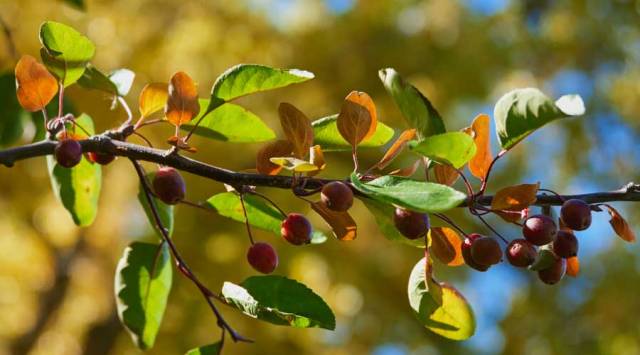
This second image was created with Raj’s discussion regarding the consideration of sharpening and color saturation within the initial editing of raw images in mind.

24-85mmf9

Nikon D750   f/9   1/40s   55mm   ISO 100

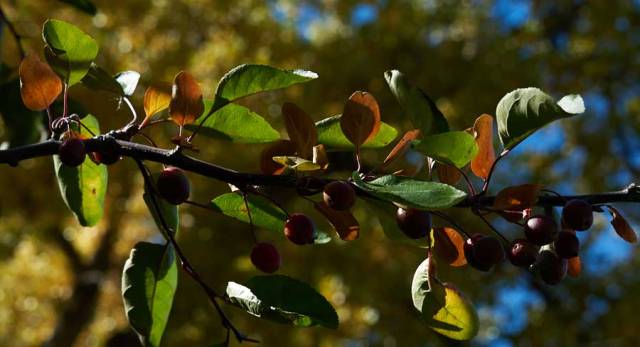
While I love bokeh – the way the lens renders out-of-focus points of light – I experimented with opening up the f-stop to explore Raj’s recommendation that an “open aperture would have created better isolation of leaves.”
28-300mmf4.5

Nikon D750   f/4.5   1/100s   55mm   ISO100

During the second day of this assignment I used a Nikon AF-S DX 35mm f/1.8G lens with a Platinum natural density lens.

The first image is a raw representation prior to any editing. This image seems a bit muted.

35mmraw

Nikon D750   f/1.8   1/1000s   35mm   ISO 100

This second image was again edited with the intentional inclusion of sharpening and color saturation.   As Raj noted an open aperture does allow for a greater isolation of the leaves.  The f/1.8 setting also seems to offer a softness to the image as well as gentle depth of field.

35mmf1

Nikon D750   f/1.8   1/1000s   35mm   ISO 100

In my limited experience and knowledge I find that a prime lens invites me to zoom in using my legs which is okay when photographing leaves…but not so much during street photography.

35mmf7.1

Nikon D750   f/7.1   1/60s   35mm   ISO 100

On the third day, I set out with a Nikon AF-S 24-85mm f/3.5-4.5 G ED VR lens.

A raw representation prior to editing.  Again, muted.

24-85mmraw

Nikon D750   f/4.2   1/125s   56mm   ISO 100

In the edited f/4.2 image the shadows on the leaves are brought out; yet, I find the background a bit distracting.   Sharpening and color saturation was also intentionally included in the editing process.

24-85mmf4.2

Nikon D750   f/4.2   1/125s   56mm   ISO 100

In the f/7.1 image below the detail and sharpness of the leaves seems to offer a greater isolation of the leaves and isn’t as distracting as in the f/4.2 image.  Also, it is interesting to note that both images have a bit of bokeh.

24-85mmf7.1web

Nikon D750   f/7.1   1/80s   56mm   ISO 100

Over to you Raj…I am finding great value in your lessons and feedback.  Thank you for expanding my understanding of this never-ending learning experience.